Radar GO-X: HUD, GPS, Maps
Mor Tosbaa MobileAuto & Vehicles
4.1970.00 Reviews
- Version
- 5.5
- Installs
- 10.00M
- Age Rating
- Everyone
Screenshots
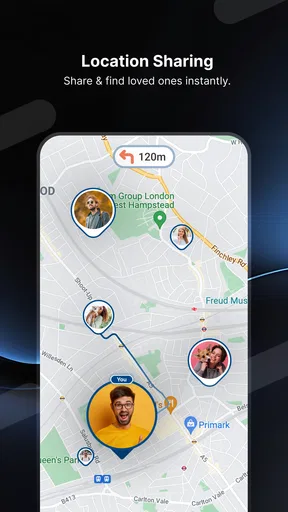
Our Review of Radar GO-X: HUD, GPS, Maps
 Analysis by Appyee
I first look at a driving app through the moments when it needs to help without demanding much attention: a turn is coming up, a road is unfamiliar, or I want to check my speed without fumbling through menus. Radar GO-X: HUD, GPS, Maps is built around that kind of on-the-go use. It brings navigation and driving-oriented tools together, and its most distinctive idea is a heads-up display that can reflect information onto a windshield. I like the ambition, though I’d treat it as a useful companion rather than a reason to stop paying attention to the road.
Readable guidance when the road gets busy
Let’s kick things off with what you see first: the interface. I must say, the design is pretty sleek. It’s got this minimalistic vibe that doesn’t overwhelm you with too many buttons or options. Everything is right where you’d expect it to be, which is a huge plus when you’re trying to keep your eyes on the road.
That uncluttered approach matters most before a trip, when I can set things up while parked instead of trying to interpret a busy screen once traffic starts moving. A map is useful only if its cues are easy to pick out at a glance; even a clean layout cannot make phone interaction safe while driving. I’d enter a destination and check the route before setting off, then leave the phone alone as much as possible.
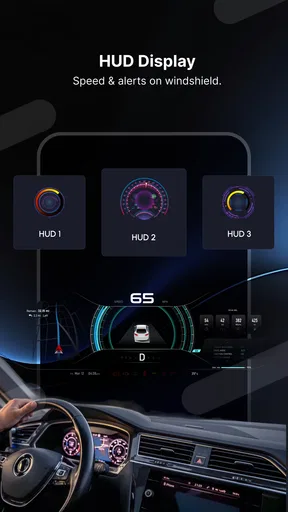
What really caught my eye was the HUD (Heads-Up Display) feature. This transforms your smartphone’s display into a transparent reflection on your windshield. How cool is that? It’s like having your own futuristic dashboard, and it works surprisingly well, even in broad daylight.
The practical trade-off is that a reflected display depends on where the phone sits and how the windshield catches the image. I’d test the position while parked, make sure the reflection is legible from the driver’s seat, and avoid adjusting the device once moving. Drivers who cannot get a clear reflection may be better served by keeping the phone securely mounted and following the map there. The HUD is a viewing option, not a substitute for a safe setup or a clear view through the glass.
Navigating with Ease
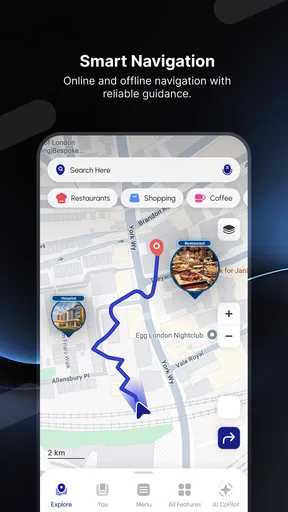
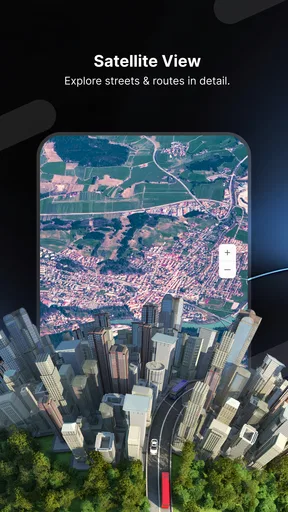
Navigation is where Radar GO-X truly shines. The GPS functionality is spot-on. I’ve tested it on both short trips around town and longer road trips, and it hasn’t let me down once. The maps are detailed, and the directions are clear and easy to follow.
For someone who drives a familiar commute, a full navigation app can feel like more than they need; the value here is having route guidance available when plans change or a detour makes the usual way less obvious. On an unfamiliar trip, I’d check the route before leaving and use the spoken or visual cues that suit my attention best. The app’s navigation is most useful when it reduces last-second decisions, not when it encourages frequent screen checks.
One standout feature is the real-time traffic updates. It’s like having a little traffic cop in your pocket, letting you know which routes to avoid and where the congestion is building up. This can save you a ton of time and stress during rush hour.
Traffic information is best treated as a prompt to reconsider a route, rather than a guarantee that every suggested alternative will be quicker. In a dense city, a side street can look attractive on a screen but involve awkward turns or unfamiliar restrictions; I’d weigh the reroute against the kind of road I’m comfortable driving. If arriving calmly matters more than shaving off a few minutes, sticking with a straightforward route may be the better call.
Extra Features Worth Mentioning
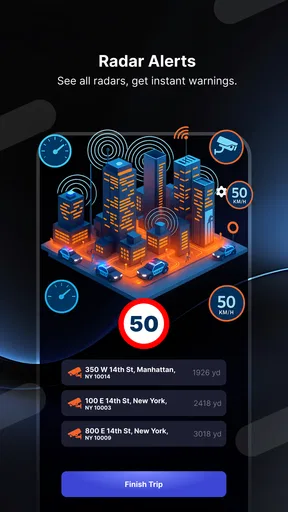
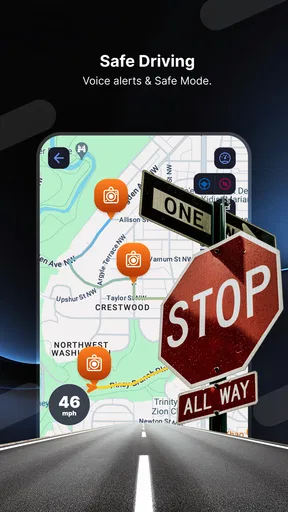
Besides the basics, there are some nifty extras packed into this app. For instance, there’s a speedometer that alerts you if you’re going over the limit. This is especially useful if you’re driving in unfamiliar areas where the speed limits might fluctuate.
I’d use that alert as a reminder to check the posted signs, not as an authority on the legal limit. Limits can change along a route, and a phone tool should never override what the road signage says. A sensible workflow is to glance at the display before moving off, then let any alert prompt a careful check rather than an abrupt reaction. That makes the speed feature more helpful and less distracting.
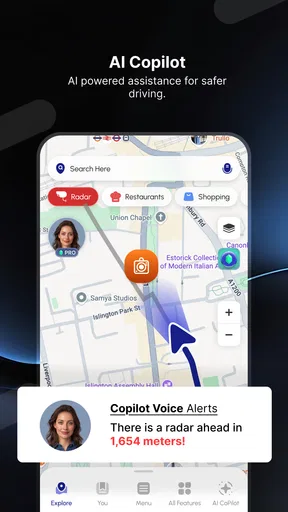
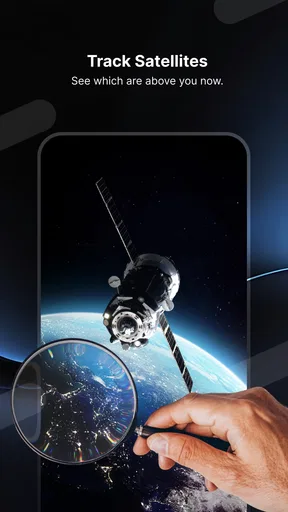
The store description also points to radar and speed-camera finding, flight tracking, and location tracking, so the app’s scope is broader than a conventional turn-by-turn navigator. Those functions may appeal if I want driving tools and a quick look at a flight or location in one place, but they are not all equally relevant on every journey. I’d decide beforehand which feature I need and avoid exploring extra screens while driving.
There’s also a parking assistant that helps you find parking spots nearby, which is a total lifesaver when you’re in a busy urban area. Plus, the app integrates seamlessly with your favorite music apps, so you can jam out to your playlists without having to switch screens.
For a practical city workflow, I’d use navigation to reach the area, check parking options only once it is safe to stop, then handle the final approach without trying to browse while moving. Keeping music controls accessible can reduce the temptation to switch between apps, although I’d still set a playlist before pulling away. These small habits matter more than having every feature open at once.
Who will get the most from it
The app is a natural fit for drivers who want navigation plus a speed display and a HUD option, especially when they regularly travel on roads they do not know well. It may also suit someone who likes having several travel-related tools in one app rather than keeping separate icons for every task. The best match is a driver willing to configure the screen while parked and use the app as a restrained aid, not as a dashboard to keep tapping.
It is less compelling for someone who only wants simple directions and already has a map app they trust. A dedicated navigation alternative may be preferable if a driver depends on a particular mapping workflow or wants fewer secondary features to think about. Likewise, anyone who finds reflected text uncomfortable, has trouble distinguishing small on-screen cues, or cannot mount a phone securely should not feel obliged to use the HUD. A standard, stable navigation setup is the better choice in those circumstances.
Accessibility in a car is highly personal. A driver with low vision may value a larger, well-positioned map, while another may find a reflected display easier to glance at; neither option is automatically readable for everyone. I’d test visibility and contrast while parked, choose a phone position that does not block the road, and ask a passenger to handle changes when possible. If a layout or alert draws attention away from driving, it is not the right setting for that trip.
Everyday trade-offs and practical limits
A realistic use case is a weekday drive to an appointment across town. Before leaving, I’d set the destination, check whether traffic suggests a different route, and place the phone where the map or reflection is easiest to read. On the way, I’d follow the guidance without repeatedly checking the screen. Near arrival, I’d wait until parked before looking for parking help. That sequence uses the app’s range while keeping the most distracting decisions out of moving traffic.
There are ordinary costs to this kind of feature-rich setup: a driver has to learn which parts are useful, position the phone carefully, and resist the urge to treat every alert as an instruction. A HUD that looks impressive in one car may be awkward in another, and a speed notification can become noise if it is poorly suited to the road or the driver’s habits. I’d start with only the tools I need, then add others after a few trips rather than turning everything on at once.
Radar and camera information also calls for sensible expectations. It can be helpful as a reminder to stay attentive, but it should not encourage speeding or replace careful driving. Local rules and road conditions vary, and I would always follow posted limits and instructions. If a driver wants a minimalist route planner with no extra driving cues, a conventional map app may feel calmer and be easier to operate.
What to expect before installing
Appwest Limited develops this free Auto & Vehicles app. It has a 4.1 average from around 59,000 ratings and has been installed over 10 million times, which suggests that many drivers have tried it, though popularity alone cannot tell me whether its HUD or layout will suit a particular car. It is rated for Everyone, and optional in-app purchases range from $4.99 to $29.99 per item. I’d check which parts I actually plan to use before considering any purchase.
The current version is 5.37.0, and it requires Android 6.0 or later on Android. If I were choosing between this and a standard navigation app, I’d ask one simple question: do I want the HUD and extra driving tools enough to accept a little more setup? If not, a straightforward map may be the cleaner choice. If yes, I’d try the basic workflow first and judge it in my own vehicle rather than assuming every feature will fit my routine.
My take on using it responsibly
Okay, let’s talk about what I love about Radar GO-X. First off, the HUD feature is just plain awesome. It’s one of those things you didn’t know you needed until you try it. The app is also super intuitive, making it easy to use even for those who aren’t tech-savvy.
However, no app is perfect, right? While the app runs smoothly most of the time, there were a couple of instances where it lagged a bit during heavy traffic updates. Also, if you’re an Android user, make sure your device is equipped to handle the HUD feature or you might find it a bit glitchy.
That combination of convenience and occasional friction is why I would not rely on it as my only source of information in every situation. If traffic updates lag, I’d avoid making a hurried reroute based on a stale impression; if the HUD is hard to read, I’d switch to a setup I can see clearly while parked. The right response to a distracting or unreliable cue is to simplify the drive, not spend more time troubleshooting on the road.
A measured recommendation
All in all, Radar GO-X: HUD, GPS, Maps is a fantastic app for anyone who drives regularly. It’s packed with features that make driving easier and more enjoyable. The HUD is a game-changer, and the GPS works flawlessly. Sure, it has a couple of minor hiccups, but they’re nothing that can’t be overlooked when you consider the overall convenience and functionality.
If you’re in the market for a new navigation app, I’d definitely recommend giving this one a shot. It’s available for both Android and iOS, so go ahead and download it to see how it transforms your driving experience.
My recommendation comes with a condition: try it in a low-pressure setting first. Set up a short route while parked, see whether the map cues are comfortable to follow, and only then decide if the HUD adds anything for you. I would skip it if the extra functions make the interface feel busier than your usual navigator, or if your device and car do not allow a secure, readable setup. For drivers who enjoy having speed and travel tools close at hand, it can be a useful option; for everyone else, simpler may genuinely be safer.
Verdict
Strengths of Radar GO-X: HUD, GPS, Maps
- Intuitive user interface for easy navigation.
- Real-time traffic updates improve route planning.
- Customizable display options for preferences.
- Offline maps availability for data savings.
- Accurate GPS tracking enhances reliability.
Limitations of Radar GO-X: HUD, GPS, Maps
- High battery consumption on long trips.
- Limited features in free version.
- Occasional map loading delays.
- In-app ads can be distracting.
- Requires frequent updates for accuracy.
Other Releases by Mor Tosbaa Mobile
View All
Collector’s Helper - Coin Lens
Finance4.2

CarSole: Car Dashboard
Personalization4.4
Similar Picks in This Category
View All
Android Auto
Google LLC4.1

maxim — order a taxi & food
PT. SITO4.7

Штрафы ГИБДД: проверка с фото
Pays LLC – Штрафы ГИБДД4.7

Номерограм – проверка авто
Авто Ассист4.8

Дром Авто
Дром4.9

Frequently Asked Questions
What is Radar GO-X, and how does it enhance my driving experience?
Radar GO-X is a versatile app designed to improve your driving experience by offering features such as HUD (Head-Up Display), GPS navigation, and detailed maps. It provides real-time traffic updates, speed limit alerts, and route optimization, ensuring a safer and more efficient journey. The app's HUD feature projects critical information onto your windshield, allowing you to keep your eyes on the road.
Is Radar GO-X available for both Android and iOS devices?
Yes, Radar GO-X is available for download on both Android and iOS platforms. You can easily find it on the Google Play Store and the Apple App Store. Ensure your device meets the minimum system requirements for optimal performance and a seamless user experience.
Does Radar GO-X require an internet connection to function?
Radar GO-X primarily relies on an internet connection to provide real-time updates, such as traffic and weather conditions, as well as map updates. However, it does offer offline map access, which allows you to navigate areas without active internet service. Download the necessary maps in advance to ensure continued navigation support.
Are there any subscription fees or in-app purchases in Radar GO-X?
Radar GO-X offers a variety of features for free, but some advanced functionalities might require a subscription or one-time purchase. These may include enhanced traffic data, ad-free experience, or additional map features. Review the app's pricing details on the app store to understand what is included and what requires additional payment.
How accurate is the GPS and traffic information in Radar GO-X?
Radar GO-X utilizes advanced GPS technology and integrates data from multiple sources to provide accurate navigation and traffic information. While it strives for precision, factors like signal interference or sudden changes in traffic can affect accuracy. Users are advised to keep the app updated and use it alongside their situational awareness for the best results.
